

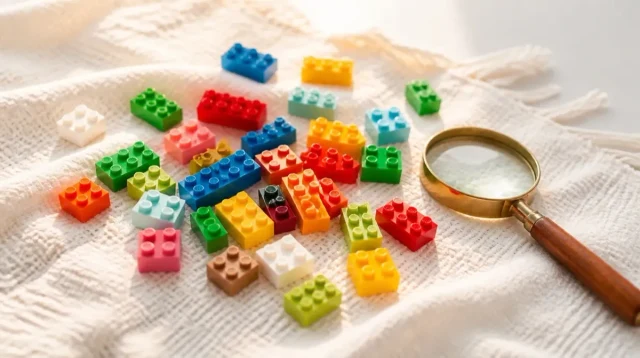
Missing LEGO Pieces? Here Is How Replacements Work
You've found every last brick in the couch cushions and one piece is still missing. Here's what actually works, in the order we'd try it.
You've flipped the box, shaken out every plastic bag, and checked the couch cushions twice, and there's still a lego missing pieces problem staring back at you from step 34 of the instructions. It happens more than anyone likes to admit. Bags get resealed wrong at the factory, a piece rolls under the fridge before the build even starts, or a set gets handed down through a couple of kids and loses a stray 1x2 plate somewhere along the way.
The good news is that LEGO expects this. The company has an entire customer service system built around exactly this problem, and it's usually simpler and cheaper than people assume. There are also a few good backup routes if the official channel comes up short, especially for older or retired sets.
This guide walks through the actual options in the order we'd try them ourselves, what each one costs in time and effort, and how to figure out which piece you're even looking for in the first place.
The short answer
Missing a piece almost never means a set is ruined. Start with LEGO's own Bricks and Pieces service for anything current, lean on Bricklink for older or retired sets, and check your own spare parts bin before buying anything at all. A little prevention (a tray to build over, bags opened one at a time) saves you this whole hunt the next time around.
Start by identifying the exact piece
Before you contact anyone, figure out precisely what's missing. LEGO instruction booklets number every piece on the page where it's first used, usually in a small callout box showing the piece's shape, color, and quantity. Find that page, note the element or piece ID if it's printed, and count how many of that piece the step actually calls for versus how many you have. It's an easy step to skip when you're frustrated, but it saves you from ordering the wrong thing later.
This matters because LEGO pieces come in a huge number of near-identical variants. A 1x4 plate and a 1x4 tile look similar in a quick glance but function completely differently once you're mid-build, and the wrong replacement won't click into the model the way the instructions expect. Color matters just as much as shape. LEGO has retired and reintroduced shades over the years, so a piece that looks like a match in a photo can be a slightly different gray or a slightly different tan when it's sitting next to the real thing.
If the instruction booklet doesn't give you a clear element number, the box the set came in usually lists a set number you can reference later, and that's often enough on its own. Some fans also keep a phone photo of the loose piece next to a ruler, which makes it much easier to describe accurately if you end up asking someone else for help identifying it.
LEGO's own replacement parts service
LEGO runs an official parts service, commonly called Bricks and Pieces, through the LEGO website and the LEGO Group's customer service channels. It exists specifically for this scenario: missing, broken, or defective pieces from a set you own. You typically search by set number, find the specific piece in that set's parts list, and request a replacement, sometimes picking the color and quantity directly from a visual list of every element that ships in that box.
We've found this route works cleanly for sets that are still in production or were released relatively recently, since the piece data and inventory are still active in the system. Response times vary and LEGO doesn't publish a fixed turnaround, so treat any estimate you see online as a guess rather than a promise. Some requests are handled almost immediately, others take longer, and that seems to depend on how in demand a given piece is at the time.
For a genuinely missing piece from a current set, though, this is the first call to make. It's built for exactly this, and it's usually free or low cost for a small number of pieces, though we'd rather you check the current terms on LEGO's own site than trust an old number floating around the internet, since policies do get updated. Registering the set to your LEGO account first, when that option exists, also tends to make the whole process faster since the system already knows exactly what should be in the box.
What to have ready before you reach out
Replacement requests go faster when you walk in prepared. Have the set number ready (it's on the box and often molded or printed somewhere on larger pieces), the piece or element number from the instructions if you found one, the color, and the quantity you need. A photo of the relevant instruction page helps too, especially if you're not confident you've identified the piece correctly, and a lot of the online forms let you attach one directly.
If the set is a gift or a hand-me-down and you don't have the original box, the instruction booklet alone is usually enough, since LEGO catalogs every set by number and the booklets typically show that number on the cover or first page. Some sets also come with the instructions built into the LEGO Building Instructions app, which is a good place to check if the paper copy is long gone, and it lets you flip straight to the page in question rather than digging through a stack of loose booklets.
It also helps to double check whether the piece is truly missing or just buried. Before submitting anything, do one more pass of the build area, the original bags if you kept them, and any nearby furniture. It's a small extra step, but a request for a piece you find twenty minutes later is one you can't easily cancel.
Bricklink and the aftermarket route
For older sets, retired themes, or pieces that Bricks and Pieces can't source, Bricklink is the next stop. It's a marketplace (owned by the LEGO Group) built specifically around individual LEGO pieces, run by a large network of independent sellers who list parts by exact element number, color, and condition. If you know the piece ID, you can usually find several listings for it within seconds, often with more than one seller offering the same piece at different prices and conditions.
The tradeoff is that you're buying from independent sellers rather than LEGO directly, so shipping times and minimum order requirements vary by seller, and some sellers combine small orders to keep listings worthwhile. It's still typically the most reliable place to find a single obscure piece from a set that's been out of production for years, especially rare colors or elements that only appeared in a handful of sets.
A search on Bricklink also works even when you don't have an exact element number, since you can usually search by shape, color, and rough dimensions and narrow down from there. If a set has its own catalog page on Bricklink, which most do, that page typically lists every piece in the set with images, which turns identifying the piece and finding a replacement into practically the same step.
Check what you already own
Before ordering anything, it's worth digging through any spare parts bins, other sets, or that junk drawer where loose pieces tend to accumulate. Common elements like basic plates, bricks, and slopes show up across dozens of sets in the same color, so there's a decent chance you already own a matching piece from something else entirely. A stray 2x4 brick in black or white, for instance, has probably shipped in more sets than anyone could count.
This is also where sorting habits pay off. A rough sort by color and piece type, even a casual one, makes it much faster to spot a stray piece than digging through one giant bin of everything mixed together. If you build with a kid who's prone to losing pieces, keeping even a small set of labeled containers by color cuts down on this kind of hunt considerably.
It's worth checking retired sets you no longer display, too. If an older set is disassembled in storage or a bin of mixed pieces, it's a reasonable source for a common part, since taking one plate out of a set that's not currently built rarely affects anything you'd notice.
When a piece is genuinely hard to find
Some pieces are tougher than others. Printed or stickered elements, unusual mold shapes made for one specific set, and pieces in short-lived color runs are the ones that typically give people the most trouble, since LEGO doesn't keep every element in every color in production indefinitely. A theme's whole run typically gets retired eventually, and once that happens, the specific parts and colors used for it can get harder to find right along with the sets themselves.
If Bricks and Pieces doesn't have it listed and Bricklink searches come up thin, patience tends to help. Sellers restock over time, and a piece that isn't listed today may show up in a few weeks. Widening a search to include used or slightly worn condition also opens up more listings, which matters more for a piece buried inside a model than for one on the front of it.
It's also worth considering whether a close substitute would work for display purposes even if it's not an exact match, particularly for a piece that's mostly cosmetic rather than structural. That's a judgment call every builder has to make for themselves, and it depends a lot on whether the set is going on a shelf or getting rebuilt and played with regularly. A collector chasing a perfect original build will care more about an exact match than someone whose kid is going to take the thing apart again next week anyway.
A few habits that prevent the problem next time
Building over a tray, tablecloth, or shallow box keeps stray pieces from bouncing onto the floor or under furniture in the first place, which is honestly where most missing pieces go. Opening one numbered bag at a time, rather than dumping every bag into one pile, also makes it much easier to notice immediately if something's missing rather than discovering it three build sessions later, when it's much harder to remember which step it belonged to.
For sets that get built, taken apart, and rebuilt repeatedly, a simple parts bin with a lid beats a loose pile every time. It sounds like a small thing, but the sets that survive years of rebuilding in our experience are almost always the ones with somewhere consistent to live between builds, rather than a bag that gets tossed in with everything else.
If a set is going straight to display and won't be handled much, that's a good moment to double check the finished model against the instructions' final image before calling the build done. It's a lot easier to catch a missing piece with the box and bags still nearby than it is months later when a display set gets nudged off a shelf.
Common questions
Does LEGO charge for replacement pieces?
It depends on the request. LEGO's Bricks and Pieces service is generally set up to help with genuinely missing or defective pieces from sets you own, and small requests are often handled at low or no cost. Terms and limits change, so check the current policy on LEGO's own site rather than relying on older information.
What if I don't know the set number?
Check the original box first, since the set number is printed there. If the box is gone, the instruction booklet usually shows it on the cover or first page, and the LEGO Building Instructions app can often help you identify a set from photos of the built model if you're truly starting from scratch.
Can I use a piece from a different set as a replacement?
Yes, as long as it's the same element in the same color. Many basic bricks, plates, and slopes are shared across dozens of sets, so a spare from an unrelated set frequently fits perfectly. Printed pieces and set-specific molds are the exception, since those typically only exist in the set they were designed for.
Is Bricklink safe to buy from?
Bricklink is owned by the LEGO Group and has operated as a marketplace for individual LEGO pieces for a long time, with a large base of independent sellers who list detailed seller ratings and feedback. As with any marketplace, it's worth checking a seller's ratings before ordering, especially for a larger or pricier order.
Related articles
 Guide
GuideWhere to Watch LEGO Masters (US, Canada, UK, Australia)
A country-by-country guide to legally streaming LEGO Masters US and the Australian spinoff, plus the real story on the UK version and season 6.
 Guide
GuideIs the LEGO Rivendell Worth It? (Honest Take)
Rivendell is 6,181 pieces of elves, waterfalls, and Elrond's council chamber. Here's what actually makes it worth the shelf space, and who should just buy the poster instead.
 Guide
GuideLEGO Masters UK: The Original Show and What Happened to It
The UK version started it all in 2017, ran two series with no cash prize, then quietly stopped. Here's what happened.